Introduction
We're going to set up the AI Agent. I will be on my server, but this can easily be done on your local machine.
Problem
- We need to create AI agents to help automate mundane tasks.
- Need: Prosgresql, npm, N8N, Ollama
Plan
- Install dependencies and get them all connected.
- Get a simple Agent working
- Connect with Cloudflared
Procedure
Let's get right into it!
It appears I already have an Ubuntu machine with Docker installed. Let's update/upgrade and use this
I noticed I only have 32GB of storage on this machine, and the RAM and CPU power were all low, so I upped it before I do the update and upgrade
I doubled the RAM, CPU power, and upped the storage to 60GB. I also have to partition the extra storage.
To adjust the partition:
//Check the current size:
df -h
sudo apt install cloud-guest-utils -y
sudo growpart /dev/sda 3
// double chekc hte size is now 60GB
df -h
Got that taken care of, let's install PostgreSQL
docker run --name pgvector-container -e POSTGRES_USER=myuser -e POSTGRES_PASSWORD=mypassword -e POSTGRES_DB=mydatabase -p 5432:5432 -d ankane/pgvector
Install Ollama (Linux) (I had to install curl first)
curl -fsSL <https://ollama.com/isntall.sh> | sh
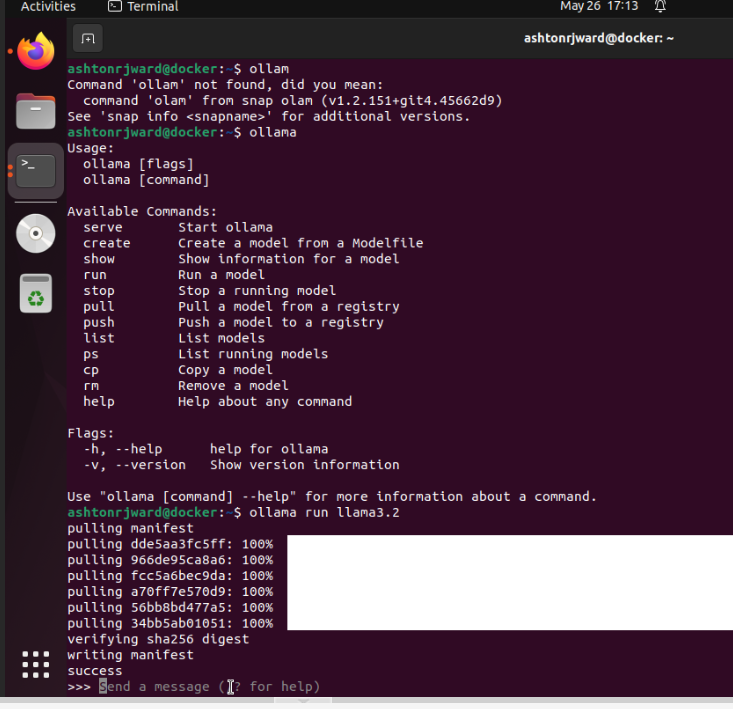
Download the model (it’s different for each model)
ollama run llama3.2
install Node.js
sudo apt update
sudo apt install -y curl software-properties-common
curl -fsSL <https://deb.nodesource.com/setup_20.x> | sudo -E bash -
sudo apt install -y nodejs
Now I don't have a GPU in my PowerEdg,e so ill be running this in CPU mode only. Lets see how taxing it will be on 8 cores.
Once everything is installed/downloaded, let's start the N8N process
npx n8n start
It is really that easy, at the bottom, it will tell you the editor is accessible at
<http://localhost:5678>
I can just add this to my list of CloudFlare tunnels and edit from anywhere.
I set it as
HTTP://192.168.1.19:5678 ==
n8n.ashtonward.tech and then logged in and was connected.